Every page of your book can hold a real moment from your own family. A hug with grandma, a birthday, a day at the beach. You pick the photo, and the people in it are drawn into the page in the same style as the rest of the story.
The short video above shows the whole thing in 30 seconds. Prefer YouTube? Watch it on YouTube, or see the whole Memabooks How To playlist.
Step 1: open the page and tap the 3 dots
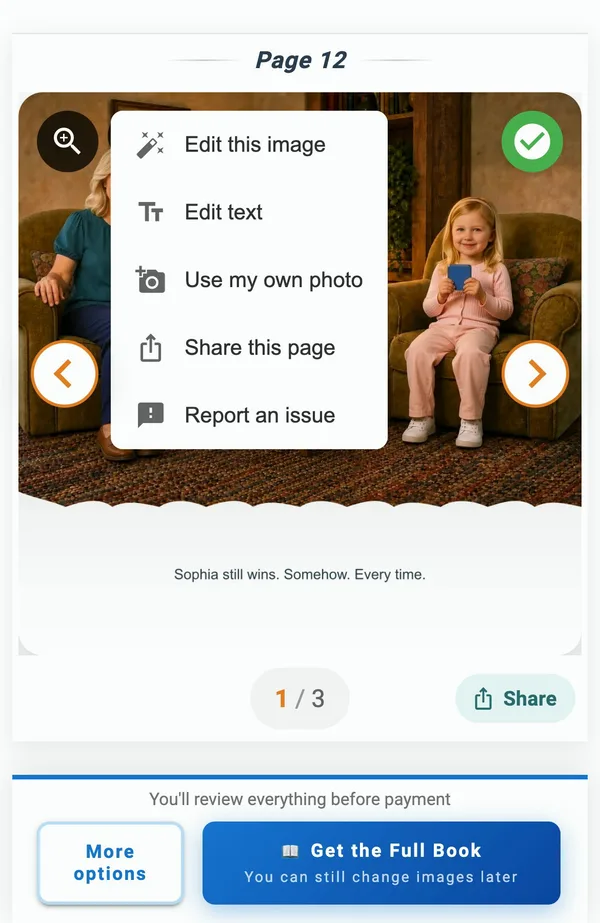
When your preview is ready, scroll to the page you want to change. Tap the 3 dots in the top corner of the picture, then tap Use my own photo.
Step 2: pick a photo you love
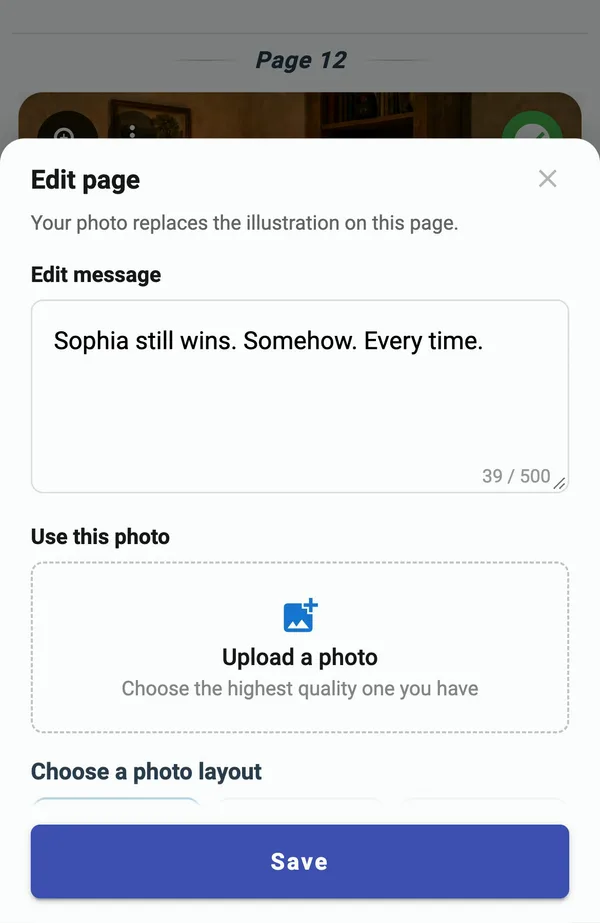
Tap Upload a photo and choose one from your phone or computer. The same panel lets you change the message printed on that page, if you want to.
Step 3: keep Blend with AI and tap Save
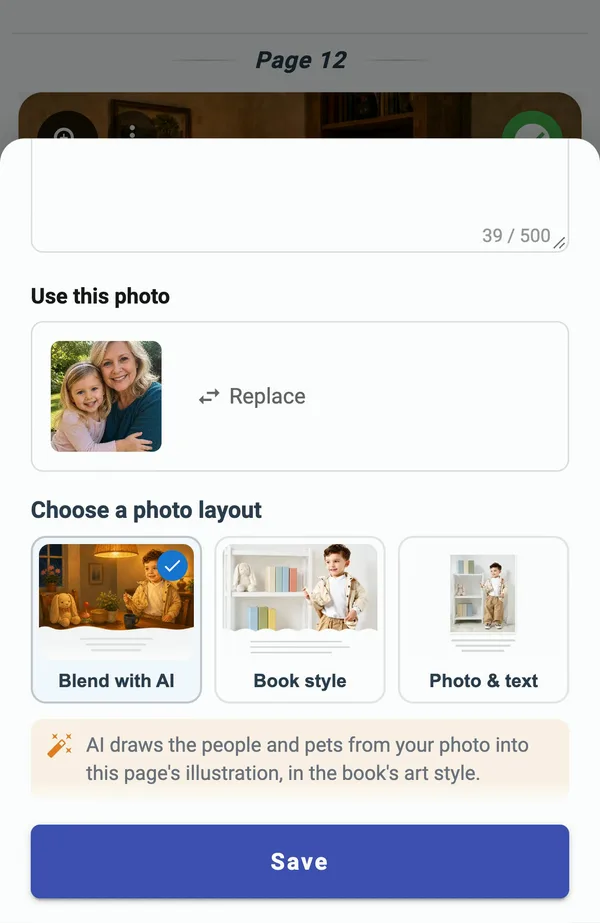
You can choose how the photo appears on the page:
- Blend with AI draws the people and pets from your photo into the page's illustration, in the book's art style. This is the one most families choose.
- Book style places your photo itself on the page, with the story text below.
- Photo & text shows the photo framed with your own message, like a dedication.
Tap Save. In under a minute the new page appears.
Compare and keep the one you like
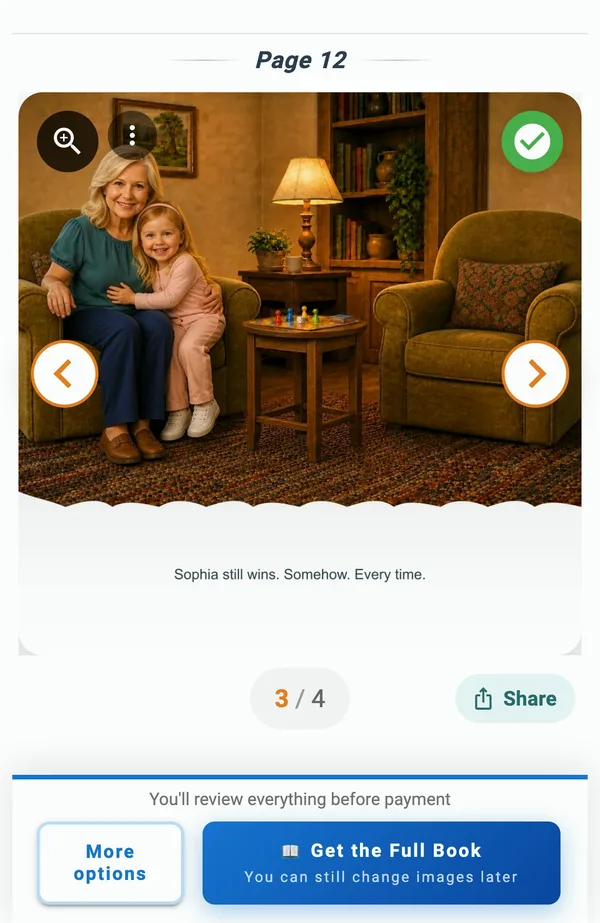
Your new version is added next to the original, it does not replace it. Swipe with the arrows to compare, and the one that is selected is the one that gets printed. You can add photos to as many pages as you like.
Tips for the best result
- Choose a photo where the faces are clear. Good light and faces looking at the camera work best.
- Match the moment to the page. A hug photo on a cosy page, a garden photo on a garden page. Blend with AI keeps the pose from your photo, so a photo that differs from the original picture gives the most noticeable change.
- You can still change it after ordering. When you make your final picks, the same menu is there.
Frequently asked questions
Which pages can I add a photo to?
Most story pages. If a page shows the 3 dots menu with Use my own photo, you can use it there.
Will the original illustration be lost?
No. Your photo version is added as another option on that page, so you can always go back to the original.
Ready to put your own family into a story? You can start your book here, or first read one of our books.